

We all know how powerful a tool Actionetics is not only as an email marketing tool, but also as an automation tool. But do you know that that’s not all there is to Actionetics?
In this feature, we’ll discuss the Contacts area of Actionetics, and the Contact Profile Page, in particular. If you already have an existing contact list, you might have come across this particular feature.
Every contact saved in Actionetics has its own dashboard where you can view a particular contact’s information not limited to Name, email, or contact number. Actionetics has a profile page for each contact where you can see everything from business history, to tags, and more.
Let’s talk about the Contact Profiles dashboard.
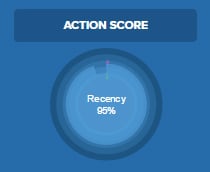
The dashboard prominently features (at the top) the contact’s name and email address and that particular contact’s Action Score overview.
Every contact that gets saved into your mailing list gets scored for recency, frequency, monetary value, and social scores. All these make up the Action Score.

In the Action Score chart, you can hover over the rings in the score area to see the percentage of the different variables.
Moving on to the dashboard’s features, you will find that there are 5 tabs to every contact dashboard.
Contact Profile
The Contact Profile tab is where you will find your contact’s basic information. (name, email address, etc.)
Aside from the basic information, you will also see information such as the total social followers, purchases, memberships, email lists, business history, tags, first seen, last seen and the contact’s IP Address.
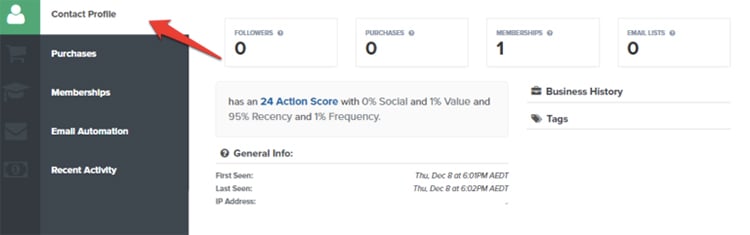
Notice that the Action Score is further explained in the Contact Profile tab. In a nutshell, an Action Score is based on the following variables:
- Frequency is how frequent a contact visits your funnels
- Recency is how recent the last visit is
- Value is how much that contact has spent on transactions throughout your funnels
- Social is your social network following
This feature is particularly useful if you want to determine and understand a customer’s value to your business and how active they are in terms of engagement with your brand and transactions.
Purchases
The Purchases tab is where you will see past and present purchases of any of your contacts from any of your funnels.
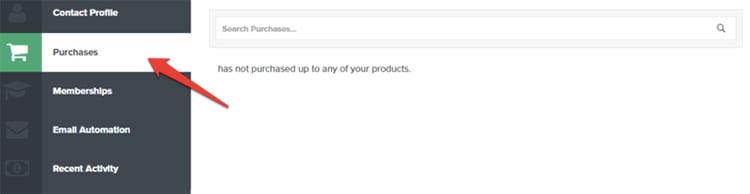
You can use this feature to determine your customers’ interests in terms of your products and offers. From here, you can use your the data to map and plan out future promos, offers and sales.
Memberships
The Memberships tab of the dashboard lets you see which membership subscriptions your contact signed up for. This area is where you can also reset your contact’s membership password upon request.
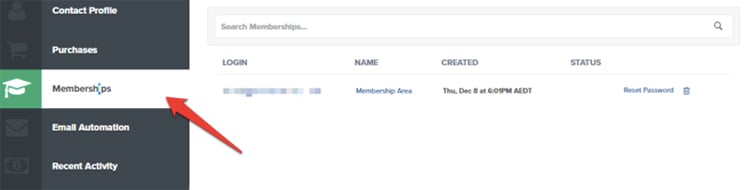
This tab is another useful feature to determine what particular products a specific customer or groups of customer find appealing. It will also give you insights on what products are the most popular to your customer base.
Email Automation
The Email Automation tab is where you will see every email list your contact has been grouped into and every broadcast a contact has ever received from you. You will also be able to see which Action Funnel your contact has been filtered into.
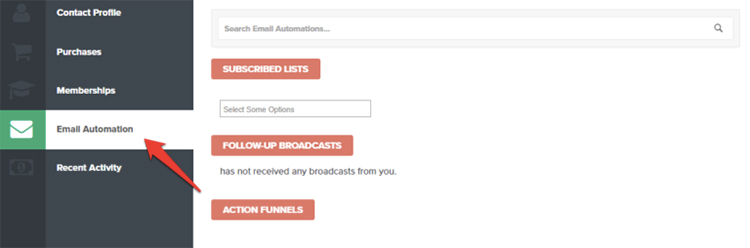
In the example above, since the contact is fairly new and hasn’t updated his information yet, you’ll find that there aren’t any broadcasts and subscriptions in his account yet.
Recent Activity
As the name suggests, the Recent Activity tab lists down a particular contact’s recent activity within your funnels. You’ll see which funnel a contact visited, when the contact visited the funnel, the pages visited and the date and times.
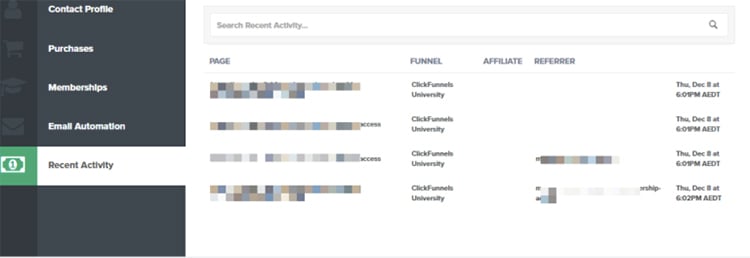
In this tab, you’ll also be able to see if an affiliate sent that particular contact to your offer.
Conclusion
This feature of Actionetics is particularly valuable when you want to know more about your contacts. Based on the information from every contact, you can come up with targeted email list or base your future marketing campaigns from there.
That’s not all what you can do with the help of the Contact Profile Page. From the information in every contact profile page, you can create list and base your marketing personas. A marketing persona is a valuable tool you can use to make sure your marketing efforts gets to the right people.
All in all, this Actionetics feature of letting see each contact profile lets you in on your contacts’ Lifetime Value. This is very crucial for customer retention and making sure they are engaged with your contact and will stay with you for a long time. Not only that, but the data you glean from this will be very useful when you decide to send out highly targeted marketing communications to make sure you get your message to the right people.
How do you use the Contact Profile Page for your marketing?
Comment below and share to us your strategies!